 Gridbinder
Guide · Planning the book
How to make a word search book for KDP
A word search looks simple, which is why the details show: a grid that is too dense for the page, a word list in tiny type, or an answer key nobody can read. Here is how to plan one that solvers enjoy.
Updated 29 October 2026 · Examples are real, unedited pages from the Gridbinder studio unless the caption says otherwise.
Grid size and word count by level
The level of a word search comes from three things: the grid size, the number of words and the directions they run in. Words that only run left to right and top to bottom are easy to spot; backwards and diagonal words make a puzzle much harder at the same grid size.
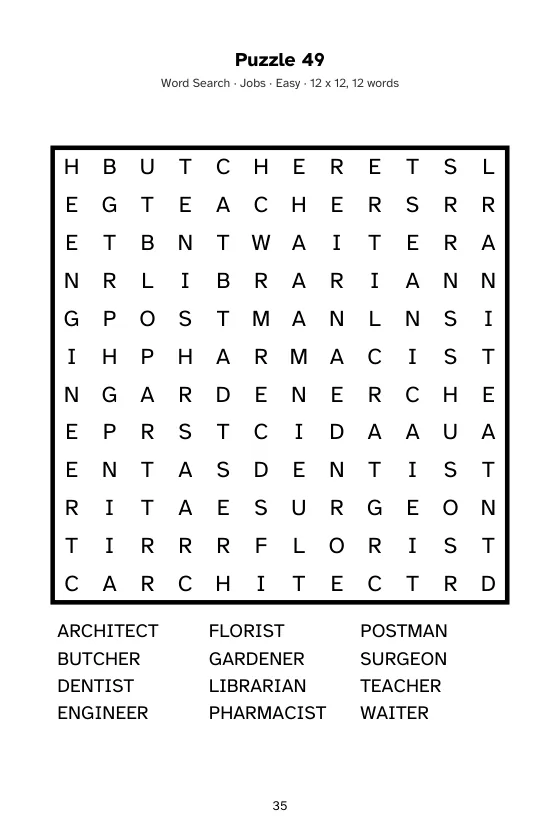
Here is how Gridbinder sets its four levels, as one tested example:
| Level | Grid | Words |
|---|---|---|
| Easy | 12 x 12 | 12 |
| Medium | 14 x 14 | 16 |
| Hard | 15 x 15 | 20 |
| Challenge | 17 x 17 | 26 |
On Hard and Challenge, words may also run backwards. A 17 x 17 grid needs a full page; on 6 x 9 in, keep to one puzzle per page.
Themes and word lists
- Choose themes your reader knows: birds, kitchen, garden, travel, sports. A theme also gives the book a title and a reason to exist next to a thousand others.
- Keep words in one language and one spelling (Colour or Color, not both). Avoid very short words; a 3-letter word appears by accident elsewhere in the grid.
- Avoid brand and product names. A KDP Community thread on word lists and brand names shows publishers being careful about trademarks in puzzles and metadata.
- Read every word list once with your reader in mind, and look over the finished grids too: filler letters are random, so any short word can turn up by chance.
What a page looks like
Answer keys
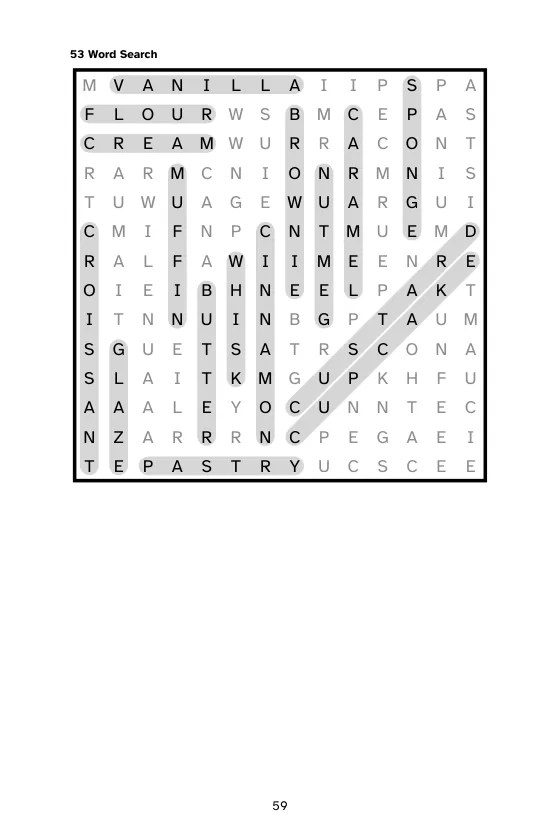
A reader checks the answer key when one word refuses to appear. Mark every word clearly in the solution grid, and keep the solution large enough to read. Many books put four or six small solutions on a page; for word search that only works if the marking is bold.
Large print word search
Word search is popular with older readers, and a dense grid in small type is hard for them. Use one puzzle per page, an easier level with fewer letters per row, and large type in the word list as well. See large print puzzle books.
Mixing word search with other puzzles
A word search can be a gentle start in a mixed book, followed by Sudoku or a logic puzzle. Group the puzzles by type so readers can find their favourite, or mix them for variety; either way, label each puzzle with its type and number.
Word search in Gridbinder
The studio has 18 themes in English (among them Animals, Birds, Kitchen, Ocean, Space, Travel and Baking), four levels and both trim layouts. Each book draws new grids from your book code, the answer key marks every word, and large print is one switch. Word lists are the studio's own; you cannot load your own list yet. Try the free sample.
Questions
What grid size is best for a word search book?
12 x 12 to 15 x 15 suits most adult books; 17 x 17 and larger for challenging puzzles on a full page. For large print, use a smaller grid with one puzzle per page.
How many words should a word search have?
About 12 for an easy 12 x 12 grid, and 20 or more for hard puzzles on bigger grids.
Can I use brand names in word search lists?
It is safer not to. Brand names are trademarks, and KDP reviews metadata and content for misleading use of them.
Is a word search book low content on KDP?
KDP lists puzzle books as not generally low-content, so it is usually published as a normal paperback with an ISBN.
Sources
- KDP Community: Word search puzzles and brand names, checked 29 October 2026
- KDP: Low-content books, checked 29 October 2026
- KDP: Content guidelines, checked 29 October 2026
KDP changes its rules from time to time. If a number here and the KDP help page disagree, the KDP page wins; please tell us at support@arling.sk.