 Gridbinder
Guide · E-ink and Etsy
Puzzle PDFs for reMarkable, Boox and Supernote
Writing tablets turn a PDF into a workbook, and puzzle solvers are among their keenest users. The difference between a PDF that feels made for the device and one that does not is mostly page shape, margins and navigation.
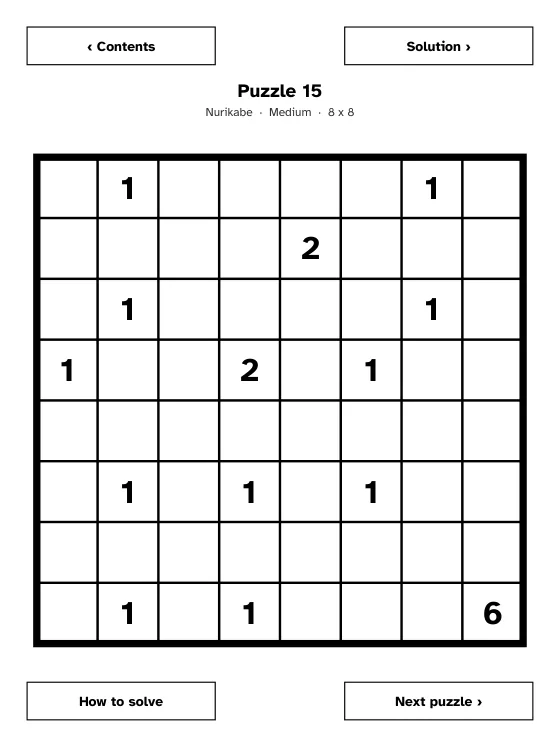
Updated 29 October 2026 · Examples are real, unedited pages from the Gridbinder studio unless the caption says otherwise.
Screens at a glance
| Device | Screen | Resolution |
|---|---|---|
| reMarkable 2 | 10.3 in, monochrome | 1872 x 1404, 226 PPI |
| reMarkable Paper Pro | 11.8 in, colour | 2160 x 1620, 229 PPI |
| Boox Note Air4 C | 10.3 in, colour | 2480 x 1860 (black and white) |
| Supernote Manta | 10.7 in | 1920 x 2560, 300 PPI |
All of these are close to a 3:4 shape. A print PDF in US Letter (about 7.7:10) or A4 shows with empty bands and a smaller grid. One seller of reMarkable puzzle PDFs makes the same point: a Letter page opens fine, but the grid sits small inside wide margins.
Margins for the toolbar
Writing tablets draw their own toolbars over part of the page, and where depends on the device and its settings. A page that is fine on one device can have its first grid column under the toolbar on another, so leave more margin where the toolbar sits. That is the only thing Gridbinder's device presets change: the page stays 6.2 x 8.27 in, the left margin is wider for reMarkable, and both side margins are wider for Supernote.
Links inside the PDF
reMarkable's software update 2.6 notes support for internal navigation links that jump from one page to another. Supernote's changelog mentions opening links in documents with the pen. For Boox we found no official statement about PDF links. Links between pages inside the document are standard PDF link annotations, which is the safest kind; avoid links to websites inside the puzzle pages.
Combining several hyperlinked PDFs into one in a desktop editor often breaks the links; build the book as one PDF from the start.
What to tell buyers
- Which devices the PDF was laid out for, and which ones you tested on.
- How to load it: reMarkable desktop or mobile app, Boox and Supernote over their own transfer tools, Kindle Scribe with Send to Kindle.
- That links work inside the document.
- The number of puzzles, the types and levels, and that solutions are included.
In Gridbinder
Pick Edition: E-ink in the studio, then the tablet: Kindle Scribe, reMarkable 2 or Paper Pro, Boox Note Air, or Supernote A5 X or Manta. The PDF has a title page, a contents grid with a tile for each puzzle, how-to pages, one puzzle per page, the solutions and the Verification report, with tap buttons between puzzle, solution and contents. We checked every link in the file; device behaviour varies, so try the free e-ink sample on your tablet first. More about the e-ink edition.
Questions
What page size should a Sudoku PDF for reMarkable be?
A 3:4 page, such as 6.2 x 8.27 in, fills the reMarkable 2 screen. Leave extra margin on the left for the toolbar.
Do hyperlinks work in PDFs on reMarkable?
reMarkable's update 2.6 added support for internal navigation links between pages of a document. Test your file on the device.
Can I use the same PDF on all writing tablets?
The page shape works on all of them, but toolbars differ. Gridbinder's presets keep the same page and change only the margin on the toolbar side.
Sources
- reMarkable: About reMarkable 2, checked 29 October 2026
- reMarkable: Paper Pro technical details, checked 29 October 2026
- reMarkable blog: Software update 2.6 (internal navigation links), checked 29 October 2026
- Boox: Note Air4 C, checked 29 October 2026
- Supernote: Manta, checked 29 October 2026
- Supernote: Changelog for A5 X and A6 X, checked 29 October 2026
- Pixel Wizard Press: reMarkable puzzle PDFs (page size and margins), checked 29 October 2026
KDP changes its rules from time to time. If a number here and the KDP help page disagree, the KDP page wins; please tell us at support@arling.sk.